seedancecheap / cookbook
Studio 2 · Brand Canvas

Your image.
Your signature.

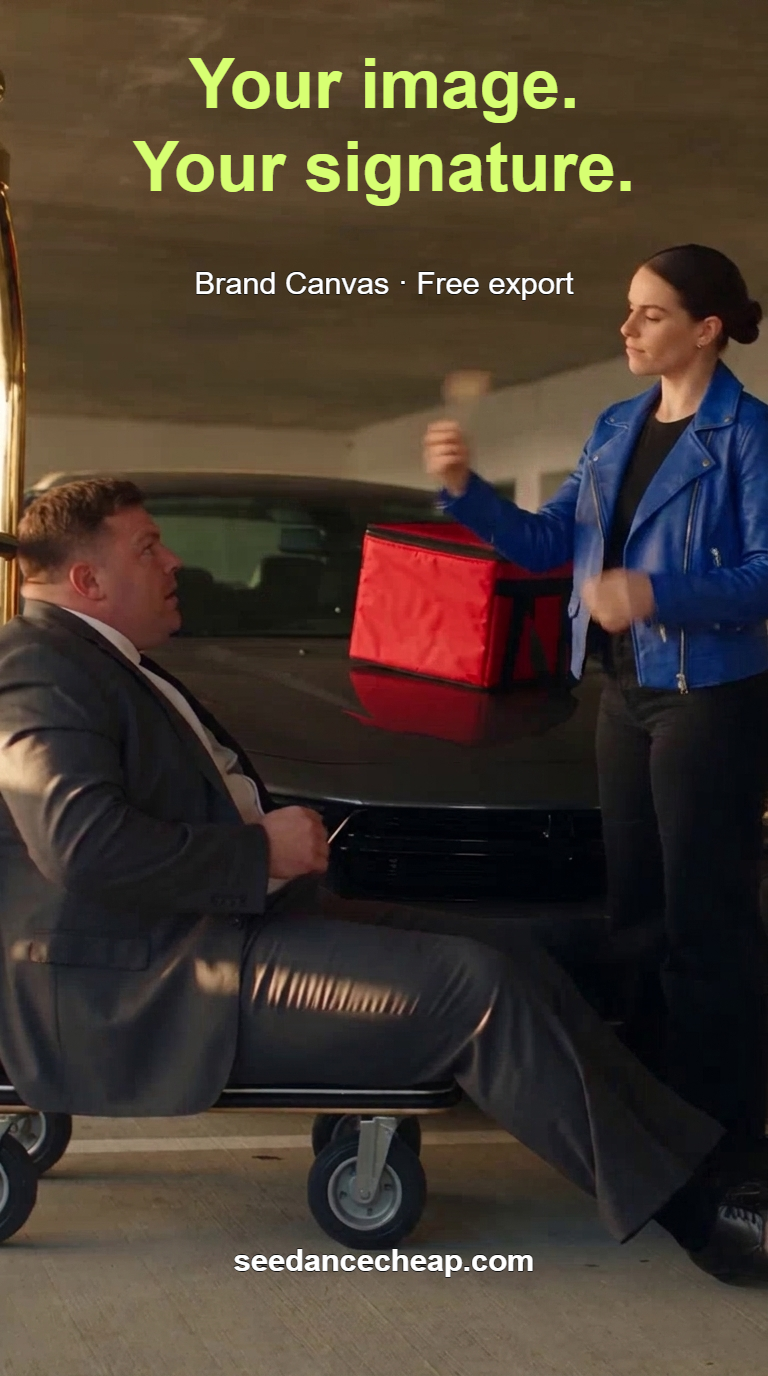
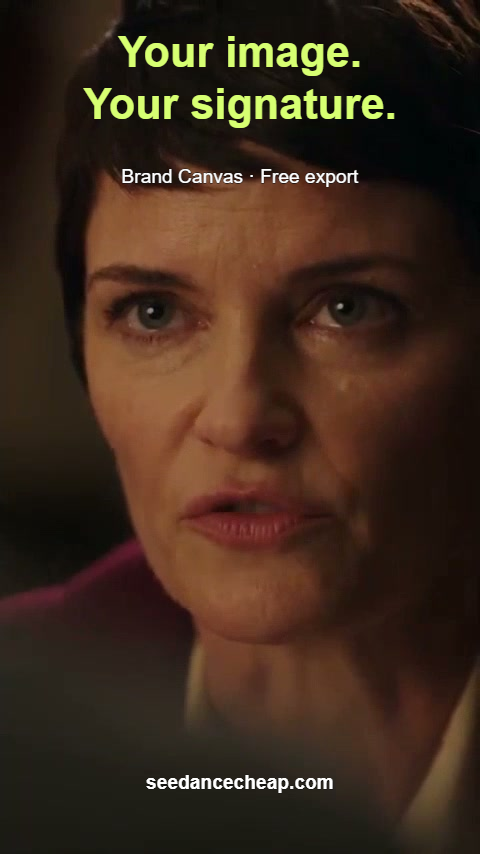
Give a set of images one consistent text layout. These two posters were actually branded and exported together in Brand Canvas.

Try free Brand Canvas →

Text branding and export used no generation credits. AI image and video generation are charged separately.

Fictional AI courier in a cobalt-blue jacket with red delivery bag, mint headline Your image. Your signature., free-export line and website.
768 × 1376 · actual PNG export
Save full courier poster
Still of a fictional AI adult from our drama test, with the same headline, free-export line and website.
480 × 854 · same shared layout
Save full drama poster
2 imagesOriginal dimensions retained
3 shared text layersOne consistent layout
1 ZIP exportNo generation credits used

Make your own set.

01 / START WITH YOUR IMAGES

Add the images you own

Open Studio 2 → Brand Canvas and add your images. Our test used an earlier Studio 2 Nano Banana PRO courier image and a still from our Seedance 2.5 drama model test.

Those source images already existed; the free branding step did not generate them.

02 / BUILD THE TEXT LAYOUT

Give every page a signature

Add a headline, a short feature line and your website. Use the same layers across the pages, then inspect each image before exporting.

A different face, subject or crop can need a different placement. Keep important details clear.

03 / CHECK AND EXPORT

Export the whole set

Use Export all as ZIP. Our native export contained two original-size PNGs. Open each file and check the text, edges and image quality.

Save your project if you want to return to the layout. We verified that our saved project reopened with both pages and all three layers.
The layout we used

  • Headline: “Your image. Your signature.” in bold Arial, mint #d7ff72, sized at 9% of image width.
  • Feature: “Brand Canvas · Free export” in white Arial, 4% width, with an outline.
  • Footer: “seedancecheap.com” in bold white Arial, 4% width, with an outline.

The headline sits near the top, the feature line below it and the website near the bottom. The actual exports above show the result on both images.

What these images show

The original PNG dimensions were retained. Adding text does not repair source blur, add detail or certify that a poster will fit every social platform’s preview crop.

Both subjects are fictional AI adults. The drama source is an internal model test, not a customer checkout or delivery test. Watch its complete video and successful prompt.

We tested shared text, PNG/ZIP export and saved-project reopening. This walkthrough does not demonstrate logo upload.

Need the source video, too?

A current Seedance 2.5 15s/720p request uses 1 credit. Start with 1 credit for $2.50, or choose the optional $99 upfront pack of 100 credits, which allocates 99¢ per such request.

A 30s/480p text-to-video request uses 0.5 credit: $1.25 from cash balance, or an allocated 49.5¢ from that same $99 pack. Reference-image creation and other production expenses are separate. Check the exact mode, full quote and live capacity before purchasing.

Find these exact formats in the generator → · Explore Studio 2 workflows → · Budget several takes before buying →

Prices checked October 25, 2026. Allocated usage costs are not individual checkout prices or a guarantee of a usable take.