Start with the chase.
Watch the full car-vault scene, copy its actual prompt and see the matching original settings.
Prefer the wet-road drift? Watch Night Run.
Vídeo de acción con IA: guía en español
A vault. A drift.
A different look.
Make the opening move. Change the jacket. Keep the coffee and cake for the payoff.
Seedance 2.5 + Genjutsu
21.2-second Studio 2 edit · 720 × 1280
Local Kokoro narration + original effects
AI-generated fictional adults, vehicles and staged action. An internal team demonstration.
A new edit of our earlier completed films. Each original and the outfit-swap example are linked below.
Choose a version to play with sound. Both use earlier AI footage.
Download the selected 720p filmA fight. A delivery.
A very specific brief.
Two bursts of action, then the client’s voice lands over the cake reveal. This new cut combines our earlier Genjutsu footage, a newly generated local Kokoro voice, and a Studio 2 Video Editor export.
Genjutsu + Voice + Editor
6.4 seconds · 720 × 1280
Fictional AI adults and staged action
Same master. Different story. Switch between the complete 18.9-second action master and the 6.4-second comedy recut. The comedy adds the client’s voice over the final shot; the master keeps its original scene audio. Both files are 720 × 1280. No new source generation was needed for the comedy edit.
Kokoro English reported waiting for capacity on November 5 at 05:48 UTC. The completed reference voice is available below. Check current availability before buying credits for narration.
Try the edit offline · free 13.8 MB ZIP
Download the clean 720p action master · 5.8 MB MP4 to edit, and listen to the complete reference voice · WAV. No account is needed to inspect these files.
I said protect the cake. Not eat the cake.Review its quote before creating. Select the delivered voice only in clip 3’s Scene voice field, at volume 1; set that clip’s original audio to 0.1.
This November 4–5 internal demo quoted 0.25 credit for the voice and 0.5 credit for one export: 0.75 credit for the new work. Earlier Genjutsu source generation and its reference are separate. The footage used an earlier Plenx option; this cut does not demonstrate delivery from the new budget video model. Check each selected tool’s current availability and full quote.
Published November 5, 2026 (Sofia). Prepared by the SeedanceCheap team with Codex AI assistance.
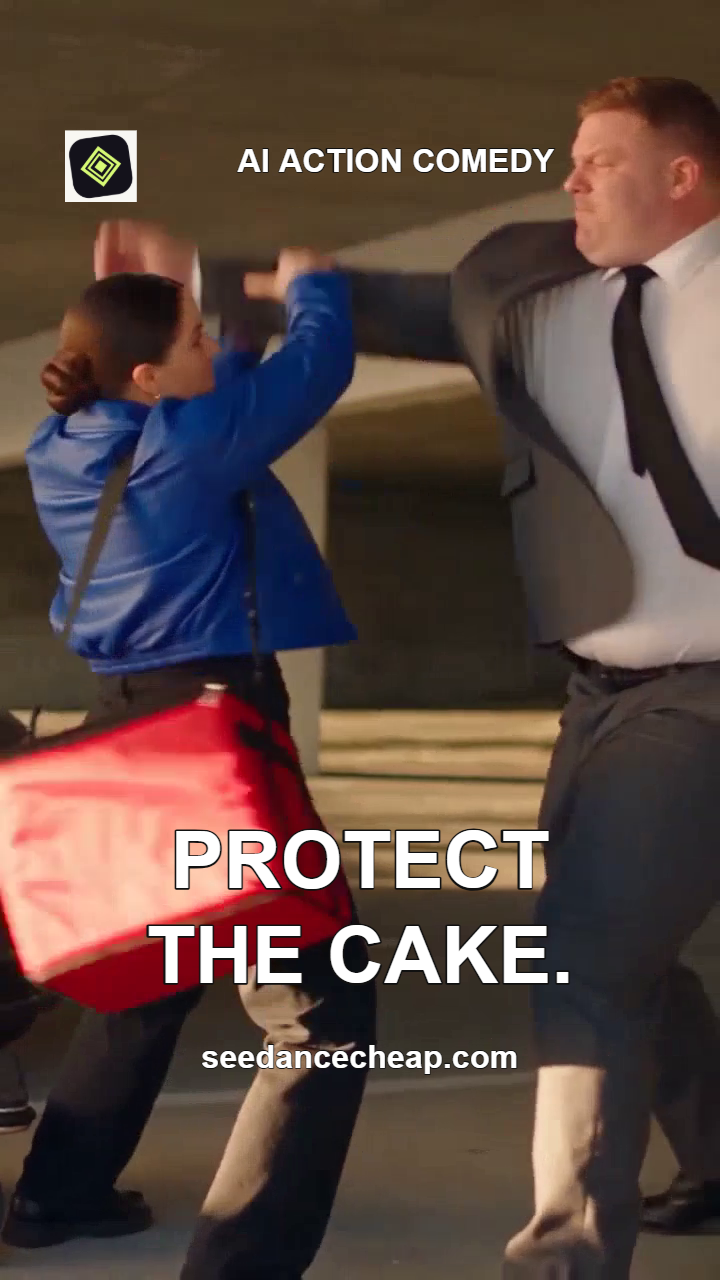

We made these two covers in our Brand Canvas. Add your logo and headline once, then export every image at its original size. This batch exported two 720 × 1280 PNGs with no generation credits used.
Start with our editable project and try it yourself:
Editing and export run in your browser, independently of AI generation providers. These backgrounds are frames from our earlier AI action master; Canvas did not generate them. Creating new source images or video is separate. Export checked November 5, 2026.
A score for your next scene. Listen to Red Light, our complete 30-second ACE-Step Music Studio example, with its exact direction and native WAV. The new music request quoted 0.25 credit; the films above keep their original soundtracks.
A car vault, the original courier fight and its blue-jacket Genjutsu remake. Then cake. This alternate cut keeps the original effects and uses no added narration.
We assembled the seven shots in our Studio 2 Video Editor, then finished captions and sound locally. All source footage comes from earlier Plenx options. No new AI source footage was generated for this edit.
AI-generated fictional adults and staged action. Identity, movement, props and timing can vary in a guided remake. Published November 4, 2026.
Take four exact prompts, our actual Genjutsu inputs, and three editing recipes in one free download. Version 2 adds the complete cake comedy, clean 720p action master and Kokoro WAV, so you can try its three-cut edit offline in your own editor. Extract the ZIP and open START-HERE.txt. No account is needed to inspect the pack.
Download free Action Starter v2 · 13.8 MB ZIP See what’s included
Use START-HERE.txt as your guide, then paste only the text from your chosen prompt file. Our four prompt files contain 732–2,272 characters before your edits. Adding text can change which options fit and their credit prices. Review a fresh quote for your selected model, duration and quality after editing.
Bend the Rules: a 15-second Genjutsu, VFX and chase ad, with its exact local cut list.
Watch the full car-vault scene, copy its actual prompt and see the matching original settings.
Prefer the wet-road drift? Watch Night Run.
Vídeo de acción con IA: guía en español
Inspect the complete action input, appearance reference and guided result. Get our free starter ZIP with the actual inputs.
Get the Genjutsu inputsArrange your owned clips, trim the action and review an export quote. Add narration from our Voice Studio when the scene needs a voice.
Open the Video EditorSource generation, reference creation, narration and editing are separate activities. Review the selected route, current availability, settings and complete price before buying or starting. Earlier model examples do not establish current generation delivery or exact identity and action preservation.
We reused four earlier delivered files: the Green Means Go and Night Run edits, our 14.9-second courier source and its complete blue-jacket guided remake. Nine shots were assembled through the native Studio 2 Video Editor API. The video uses no added upscaling, still-image intro or replacement footage.
Kokoro 1.0 English (local), with the generic George narrator, generated the new voiceover. Original effects sit underneath the narration, then return for the final payoffs. Faces, props, movement and timing can vary between the original and guided scene.
No new AI video or image was generated for this reel. Narration and editing are priced separately from generating new source footage. Review your complete quote before starting.
Inspect the complete Genjutsu source, reference, prompt and result.
Chase. Fight. Change the look. Our Seedance two point five scenes, plus a Genjutsu remake. Cut your own sequence in Studio Two. Get the prompts and demo inputs at Seedance Cheap dot com.